Restaurant Menu Software
Build a digital menu, QR menu, and contactless ordering experience
MenuLook helps restaurants, cafes, and bars launch digital menus, QR menus, reservations and waitlists, calorie labeling, AI-translated menu copies, and contactless ordering flows with mobile-friendly templates, instant menu updates, and analytics-ready restaurant menu software.
Launch your restaurant menu software in minutes with a digital menu that works on every phone.
- Set your prices
- Make instant changes
- Add daily meals
- Store out-of-stock items
- Keep your menu up to date
- Improve the ordering experience for your customers
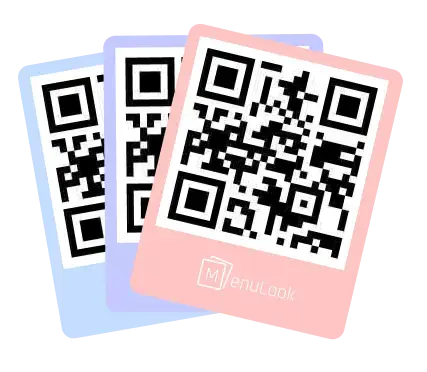
Now choose a ready-to-use template
An attractive digital menu needs attractive templates. Now you can meet this need from the ready-made templates in our library. You can change it later and see the results instantly. We are always adding new templates for you. Keep following us at menulook.io.
What Features Do We Offer?
How about managing your menu with the ability to update it instantly?
- Multi-device support
- Speed
- Statistics
Menu Analytics
See what guests actually engage with
Import your menu with AI
Move from a printed menu to a digital QR menu without rebuilding everything by hand.
Upload a PDF or image of your restaurant menu and let MenuLook turn it into a draft your team can review and publish.
- Upload a PDF or menu photo from your current menu
- Let AI create categories and products for you
- Launch faster without manual data entry
- Edit the imported items and publish in minutes
AI Menu Import
Printed menu to live draft
Run multiple branches from one account
Growing from one location to multiple branches should not mean rebuilding your setup from scratch.
MenuLook helps restaurant groups and expanding brands launch new branches with their own menu, QR code, and profile while staying in one admin workspace.
- Manage multiple branches from the same MenuLook account
- Give every branch its own slug, QR code, and public menu page
- Create a new branch faster by copying the menus from your current branch
- Switch between branches in the admin panel and keep operations separated
Multi-branch Control
One account, separate branch operations
Create translated menu copies with AI
MenuLook helps restaurants turn one finished menu into multiple language-ready copies without starting over.
Use AI to generate translated menu drafts, keep your structure intact, and publish cleaner multilingual guest experiences from the same branch dashboard.
- Duplicate an existing menu and translate it into English, Turkish, Dutch, and more
- Keep headings, products, prices, and structure aligned with the original menu
- Review translated copies inside the same admin workflow before you publish
- Launch multilingual QR menus for tourists, hotels, and international guests faster
AI Translation
Dinner Menu (EN)
Capture reservations and waitlists from the same menu flow
A QR menu should not stop at menu viewing when guests are ready to book a table.
MenuLook turns the same public menu page into a reservation entry point, then moves guests into a waitlist flow if the booking slot is not available.
- Accept table reservation requests directly from your public menu page
- Offer a natural waitlist fallback when times are full or no suitable slot is available
- Use your branch timezone and reservable QR table capacities to control availability
- Manage reservations and waitlist activity from the same branch dashboard
Guest Operations
Reservations with waitlist fallback
Publish menu calories with AI-assisted labeling
Nutrition visibility should not require a separate spreadsheet, consultant workflow, or second back-office tool.
MenuLook lets restaurant teams estimate, review, edit, and publish calorie information from the same menu management experience.
- Add calorie values manually on individual menu items whenever your team already knows the number
- Run AI calorie estimates for one dish or an entire menu without leaving the same editor
- Keep calorie visibility inside the public QR menu so guests compare dishes faster
- Use one menu workflow for pricing, translations, reservations, and calorie labeling together
Calorie labeling
Estimate kcal without leaving the menu editor
Proof layer
A stronger conversion layer for the US, UK, Netherlands, and Turkey
We should not rely on feature copy alone. Live menu examples, market-targeted landing pages, and visible workflows help visitors trust the product faster.
Live public menu examples
Restaurant concepts represented
Operators running multiple menus
Target markets
Turn product strength into visible proof
Show AI import, translated menus, QR ordering, and branded public pages together with live examples and clear CTA paths.
Real Menu Examples
Explore live restaurant QR menu examples
Explore real restaurant, cafe, and bar digital menus published with MenuLook to see how QR menu pages look in production.

Coco & Clavis
Menü
Browse this live digital menu example published with MenuLook.
Cluck House
Cluck House
Browse this live digital menu example published with MenuLook.
Bank Of Burger
Bank Of Burger
Browse this live digital menu example published with MenuLook.
Bellamaritimo Hotel
Bellamaritimo Hotel Menü
Mom’s Cooking

Meram Kafedeyim
Meram Kafedeyim
Browse this live digital menu example published with MenuLook.

Pizzacı Musti
Pizzacı Musti
Karadeniz yaylalarını aratmayan mekanımızda, tadı damağınızda kalacak lezzetli kahvaltı ve pizzalarımızı yemeye bekleriz!
Showcase + content layer
A stronger discovery path from live menus into solution pages
Cafe QR menu launch case study
See the shortest path from a printed menu to a branded QR launch.
How to launch a restaurant QR menu
Review pre-launch setup decisions and common rollout mistakes.
Restaurant menu operations checklist
Audit language, pricing, availability, and QR access gaps quickly.
Restaurant menu solutions
Find the right digital menu solution for your business
Choose the right workflow for QR menus, AI menu import, multilingual publishing, and multi-location restaurant management.
Software Comparison
What makes the best QR menu software for restaurants in 2026?
Compare QR menu software for 2026 by updates, AI import, multilingual menus, table ordering, reservations, analytics, and transparent pricing.
Restaurant QR Menus
A QR menu system for modern restaurant service
Build a QR menu for your restaurant and update prices, items, and branding without printing new menus.
Menu Builder
A restaurant menu maker built for fast updates
Create, edit, and publish a restaurant menu with QR access, branding, and instant updates from one dashboard.
US Restaurant Market
QR menu software for US restaurants that need faster launch speed
MenuLook helps US restaurants launch branded QR menus, update pricing faster, and support multi-location growth without print friction.
UK Pub Market
Digital menu software for UK pubs and gastropubs
MenuLook helps UK pubs, gastropubs, and bar kitchens publish QR-friendly menus for drinks, food, specials, and event nights.
Multilingual Menus
Restaurant menu software for multilingual guest experiences
Manage multilingual restaurant menus with faster translation workflows, branch-ready copies, and QR pages guests can open in different languages.
Restaurant menu solutions
Explore all solution pages
Choose the right workflow for QR menus, AI menu import, multilingual publishing, and multi-location restaurant management.
Restaurants using MenuLook every day
Restaurants, cafes, bars, and multi-location teams use MenuLook for QR menus, AI import, reservations and waitlists, translated menu copies, calorie-ready menus, and faster public menu operations.


